Alerts
Shelfsteady tells you by email and with a banner on Home when a feed needs your attention.
What raises an alert
| Alert | When |
|---|---|
| Held for review | A run tripped a guardrail. Nothing was changed. |
| Run failed | A run stopped. Nothing was changed. |
| Run needs review | A run stopped while writing to your store, so not every change is confirmed. |
| Run partly applied | Shopify refused some changes of a run. |
| Columns changed | The supplier file's columns changed since the last run. |
| No new supplier data | The feed is stale. |
Previews and manual runs raise alerts too, not only scheduled runs. A cancelled run never raises one.
When Shopify itself does not answer, Shelfsteady waits until the feed's last 3 runs failed that way before it sends an alert.
How often
You get at most one email per feed and per kind of alert each day (UTC). Alerts raised within a few minutes of each other arrive together in one email. Each email says what happened and what to do, with a link to the run or the feed.
Open alerts also show as banners on Home, and each feed's health shows on the Feeds page.
Where alerts go
By default, alerts go to your shop's contact email in Shopify. To use another address:
- Open Settings and enter it under Alert email, then choose Save.
- Shelfsteady emails a confirmation link to that address. The link works once, for 24 hours.
- Follow the link and choose Confirm this address.
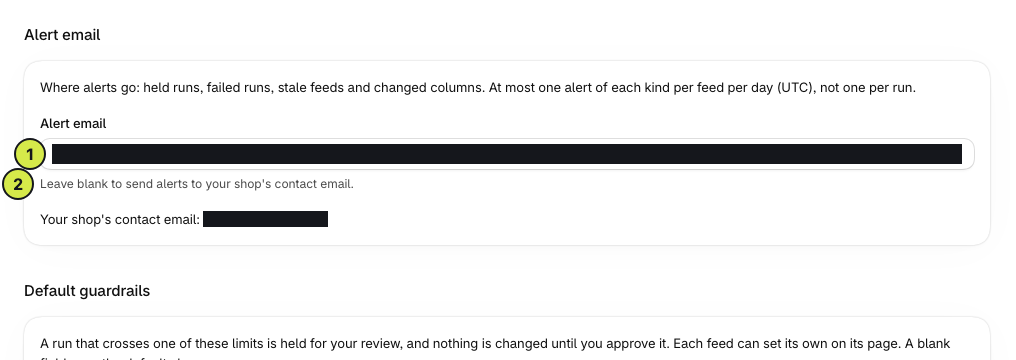
Until the address is confirmed, alerts keep going to your shop's contact email. If the link expired, choose Send the link again. You can ask for 3 links in 24 hours.
Leave the field blank to send alerts to your shop's contact email again.
Alert emails come from notify.valbotech.com. Add it to your safe senders if they land in spam.