Plans and billing
Shelfsteady has two plans: Free and Unlimited. Your shop starts on Free. Plans are chosen and billed through Shopify, on your Shopify invoice.
Free
- 1 feed. The sample feed does not count.
- Manual applies of up to 1,000 changes per run. Changes are counted per variant, and each new draft product counts as one.
- Unlimited previews, for every feed.
On Free, you start each run yourself.
Unlimited
- Every supplier and product.
- Hourly schedules.
- No add-ons.
- $15 a month or $150 a year, with a 14-day free trial.
When Shelfsteady offers Unlimited
Shelfsteady shows the Unlimited offer on Home only after your first applied run that passed its guardrails, your go-live. You can still see the plans on the Plan page at any time.
Upgrade
- Open Plan and choose Open Shopify's plan page.
- Choose Unlimited and approve the charge on Shopify's page.
- You return to Shelfsteady, which reads your new plan from Shopify.
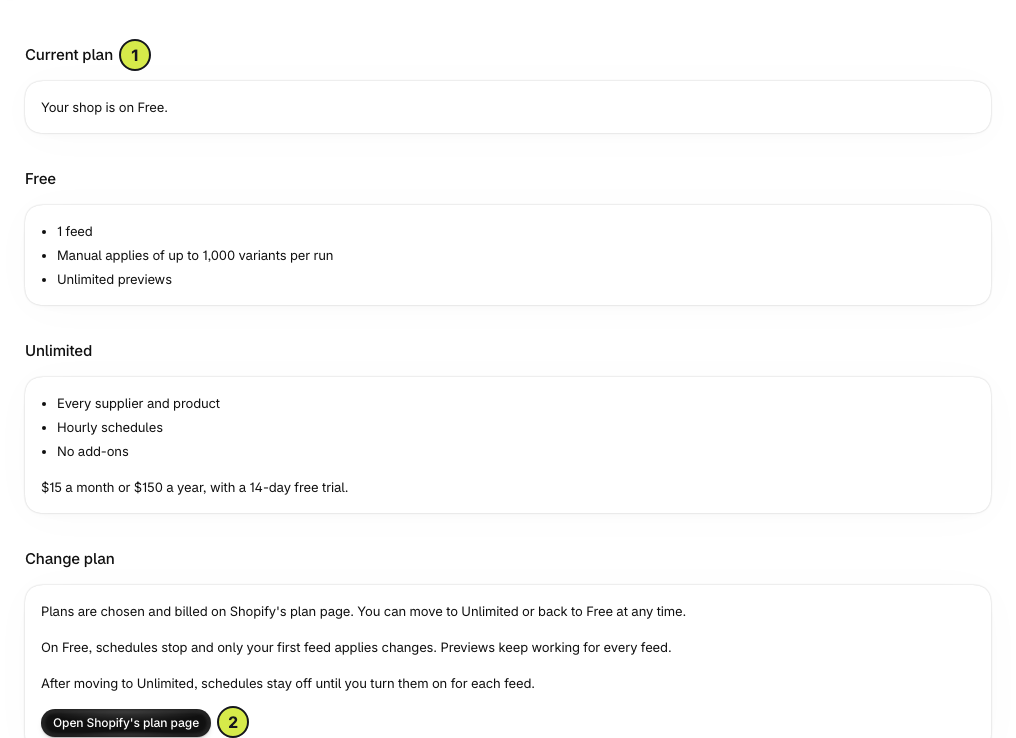
After moving to Unlimited, schedules stay off until you turn them on for each feed. See Schedules and stale feeds.
Downgrade to Free
Choose Free on Shopify's plan page, from Plan then Open Shopify's plan page. On Free:
- Every schedule stops.
- Only your first feed applies changes. Your other feeds are kept and can still be previewed.
- Applies of other feeds that were waiting or held for review are cancelled.
Previews keep working for every feed.
Cancel
To stop paying, downgrade to Free as above. Uninstalling Shelfsteady also ends the Unlimited subscription; see Uninstall and your data.
Plan changes made elsewhere
Shelfsteady reads your plan from Shopify when you come back from Shopify's plan page, and checks it again once a day. If Plan shows an old plan, open Shopify's plan page and return to Shelfsteady.
Billing questions
Charges, invoices and refunds for apps go through Shopify. For a question about Shelfsteady's charges, write to support@valbotech.com. See Contact support.