Mapping columns and matching
In the Mapping step you tell Shelfsteady which column of the supplier file holds what. Shelfsteady suggests a mapping from the file's headers. Check each column before you continue.
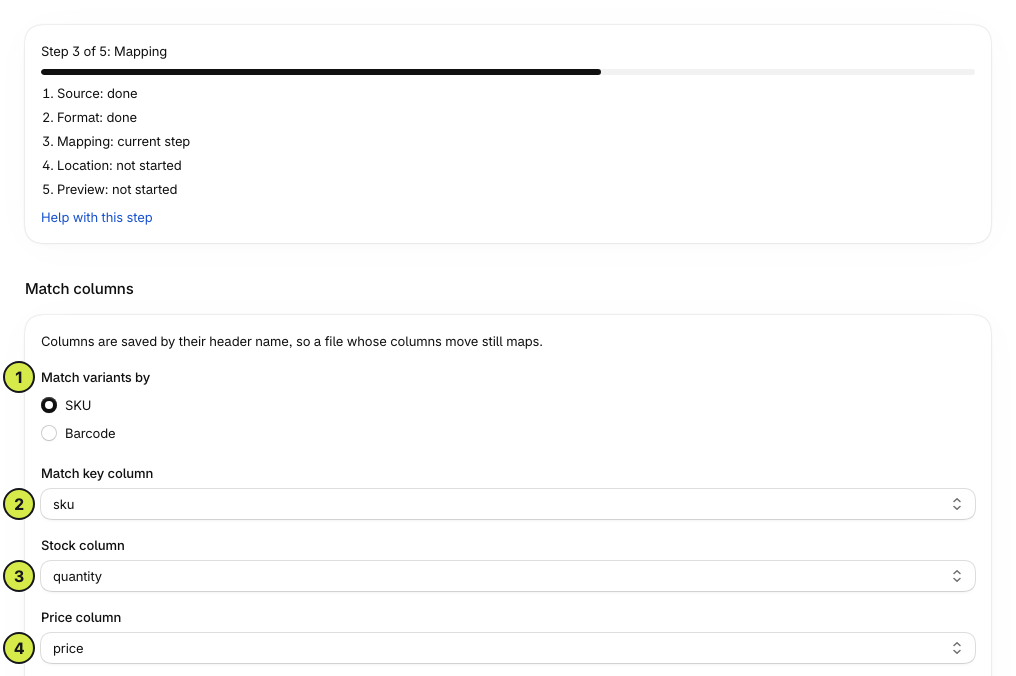
The match key
Each row of the file is paired with one variant in your store by its match key: the SKU or the barcode. Choose which one under Match variants by, then choose the column that holds it.
- The match is exact:
AB-12andab-12are different keys. - Spaces before and after the key are ignored.
- Leading zeros count:
00123and123are different keys.
The value columns
Map at least one of:
- Stock column
- Price column
- Compare-at price column
- Cost column
Leave a column as Not mapped if the file does not have it, or if you do not want Shelfsteady to change that field.
The Title column is optional. It is used only when you create draft products for rows that match no variant.
Columns are saved by header name
The mapping is saved by each column's header, not its position. If your supplier moves the columns around, the feed still maps. If a mapped column disappears from the file, the run is held for review and nothing is changed.
How values are read
- Stock: whole numbers. Text like
>10or10+reads as 10, and<5reads as 0. - Stock text rules: if the file writes stock as words, add one rule per line, such as
in stock = 10. Text is matched whatever its case. Any other text is skipped and listed. - Prices: currency symbols and spaces are ignored. The decimal separator is the one chosen in the Format step.
- Price currency: set the currency of the feed's prices. It appears once a price, compare-at price or cost column is mapped. If it differs from your shop's currency, prices do not sync, only stock.
Rows that are skipped
A preview lists every row it could not use, with the reason. Shelfsteady never guesses.
| Reason shown | What it means |
|---|---|
| no variant has this SKU or barcode | No variant in your store has this key. |
| the key appears more than once in the file | Every copy of the key is skipped. Shelfsteady never picks one. |
| the key matches more than one variant | Two or more variants in your store share this key. |
| another feed writes this variant at this location | Another feed already updates this variant at the same location. |
| no SKU or barcode in the row | The match key cell is empty. |
| the barcode is damaged (scientific notation) | A spreadsheet turned the barcode into a number like 4.0E+12. Ask your supplier to export barcodes as text. |
| prices are in another currency than your store's | The feed's price currency differs from your shop's. Stock still syncs. |
| already up to date | The store already has the file's value. |
To fix unmatched rows, check that the SKUs or barcodes in your store and in the file are written the same way.
Not in feed
A variant at the feed's location that the file does not list is not in feed. This is different from a row that says zero stock.
On the feed's page, under Not in feed, choose:
- Keep their stock as it is (default), or
- Set their stock to zero. Shelfsteady asks you to confirm, because every applied run then sets those variants to 0 at the feed's location.
Previews show not-in-feed variants in their own count either way.